FORScan ELM327 Review: What the OHP Adapter Can and Cannot Read
Published October 31, 2026
As an Amazon Associate we earn from qualifying purchases. This never changes which products we recommend.
Verdict
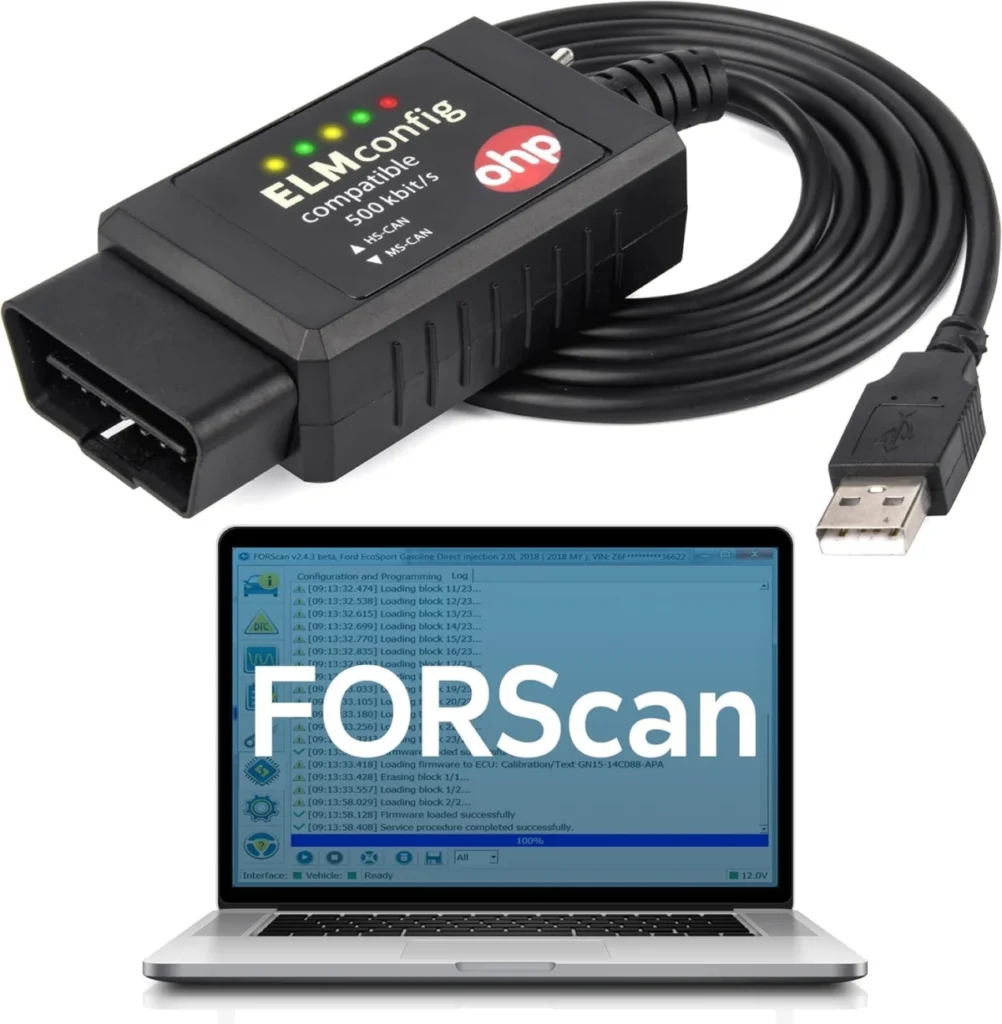
Worth considering
The OHP FORScan ELM327 suits Ford, Lincoln, Mazda and Mercury owners who already use a Windows laptop and want a wired connection to FORScan for reading and clearing codes across engine, ABS and transmission modules. Skip it if you need a standalone screen, a phone app, or coverage outside the Ford family.
- Best for: Ford, Lincoln, Mazda or Mercury owners who want module-level code reading on a Windows laptop, DIYers who already use FORScan and want a stable wired USB connection, Reading and clearing engine, ABS and transmission codes without a dealer visit
- Not for: Owners of non-Ford vehicles or 7th-generation Mazda models, Mac, Chromebook or phone-only users
Key takeaways
- The OHP FORScan ELM327 is an OBD2 adapter, not a scan tool: it has no screen and depends entirely on FORScan software running on a Windows PC.
- It reads and clears trouble codes from the engine, ABS and transmission, which is more than a basic engine-only code reader offers.
- The main drawback is that it is read-only: no active tests, actuator tests or bidirectional control, so it cannot run procedures like an ABS bleed or a parking brake retract.
- It is built for Ford, Lincoln, Mazda and Mercury vehicles and will not work on macOS, tablets or phones without a full Windows environment.
Table of contents12 sections · tap to expand
The OHP FORScan ELM327 is a USB diagnostic cable that plugs into the OBD-II port and connects to a Windows laptop running FORScan. It is an adapter, not a handheld scanner: it has no screen, no buttons and no app of its own, so everything it shows comes from the software on your computer. This FORSCAN ELM327 review focuses on what the cable actually reads, what it cannot do, and which Ford owners get real value from it.
For a Ford owner with a check engine light, an ABS warning or a transmission fault, the cable is worth considering because it reaches modules a basic engine-only code reader cannot see. It is not worth buying if you expect a self-contained tool, need to command components on the car, or drive something outside the Ford family. The decision comes down to whether you already have a Windows laptop and are willing to install FORScan.
Specifications
Key specifications
| Specification | Detail | Why it matters |
|---|---|---|
| Type | OBD2 adapter (needs a phone app) | It has no screen or software of its own, so the laptop and FORScan do the actual diagnostic work. |
| Connection | USB | A wired link is stable and needs no pairing, but it tethers the car to a computer. |
| Bidirectional | No (read-only) | It can read and clear codes but cannot send commands to run active tests or service procedures. |
| Systems | Engine, ABS, Transmission | ABS and transmission coverage goes beyond a basic engine-only code reader. |
| Platform | Windows | Mac, Chromebook and phone users are excluded unless they run a full Windows environment. |
| App | FORScan | FORScan must be downloaded separately, and some programming features need a FORScan Extended License. |
| Makes covered | Ford | The cable is aimed at Ford and its related brands, not at all OBD-II vehicles. |
What the OHP FORScan ELM327 reads on a Ford
The adapter reads and clears diagnostic trouble codes from the engine, ABS and transmission, and each code comes with a fault description to help you find the cause. That module coverage is the reason to choose it over a cheap engine-only code reader: an ABS light or a transmission fault can be identified without paying a shop just to pull the code.
It does not read every module on the car. Airbag (SRS), body control and other systems are not listed, so an SRS warning light is outside what this cable reports. Treat it as a three-system reader for Ford-family vehicles, not a full-vehicle diagnostic platform.
Read-only means no active tests or service resets
The OHP FORScan ELM327 is read-only, so it cannot send commands back to the car. That rules out bidirectional work such as cycling a fan, running an EVAP test, retracting an electronic parking brake or bleeding ABS, and it means no service resets through this cable. If those tasks matter, you need a bidirectional scan tool instead.
For a buyer whose goal is simply to see why a warning light is on and clear the code afterward, read-only is not a real limitation. It becomes one the moment you want the tool to do something to the vehicle rather than report on it.
Vehicle coverage: Ford, Lincoln, Mazda and Mercury, with exclusions
Coverage centers on Ford cars and light trucks, from Focus and Fiesta to F-150, Ranger, Transit and the hybrid, plug-in hybrid and electric models, plus Lincoln and Mercury vehicles. The adapter is designed for 12V cars, SUVs and light trucks only, so heavy-duty trucks and 24V systems are out of scope.
The exclusions matter as much as the coverage. Seventh-generation Mazda models such as the Mazda 3, CX-30 and CX-50 are not compatible, and neither are joint-venture models that use non-Ford protocols, including the Ford Galaxy Mk2, Ford Ka Mk2 and Ford Explorer EV. Check your exact model before buying.
Windows-only software and the FORScan setup
The cable works only with Windows, listed as XP, 2000, Vista, 7, 8 and 10, and is not compatible with macOS, MacBooks, Chromebooks, tablets or phones unless they run a full Windows environment. FORScan is downloaded separately from the official site, and some programming features require a FORScan Extended License, which is not included.
Setup is the part that trips people up. If the computer cannot find the cable, lowering the COM port number in Device Manager often fixes it, and if the drivers do not install automatically, the FTDI driver can be installed manually. A powered USB 2.0 hub between the adapter and the laptop is also recommended. Budget time for this rather than expecting a plug-and-play experience.
How it compares with two alternatives
The OBDResource ELM327 USB adapter is the closest match: also USB, Windows-only and read-only, but it lists engine-only system coverage and adds J1850 to its protocol support alongside CAN. Choose the OHP cable if ABS and transmission codes matter to you; choose the OBDResource if you want broader protocol coverage and mainly engine diagnostics.
The Vgate vLinker FD+ takes a different route. It is a Bluetooth LE adapter that works with FORScan Lite on iOS and Android as well as Windows, so it frees you from the laptop cable, but it is also read-only and covers engine and transmission rather than ABS. Pick the Vgate if phone-based diagnostics matter more than ABS access.
Value: who gets their money's worth
The cable earns its place for a Ford-family owner who already has a Windows laptop and wants module-level code reading without dealer prices. The two-year manufacturer warranty covers the hardware, but the software side is on you: FORScan, the drivers and any Extended License are separate pieces to arrange.
It is poor value for anyone outside the Ford family, for Mac or phone-only users, or for a buyer who needs bidirectional control. Those buyers should put the money toward a different class of tool rather than this adapter.
Strengths and weaknesses
Pros and cons
Pros
- Reads engine, ABS and transmission codes, so ABS faults are visible without a shop visit
- Wired USB connection avoids pairing problems and is stable for FORScan sessions
- Each code includes a fault description to help identify the cause
- Two-year manufacturer warranty, and buyer ratings are very positive across a very large number of buyers
- Works across a wide list of Ford, Lincoln, Mazda and Mercury models, including hybrids and EVs
Cons
- Read-only: no bidirectional tests, active tests or service resets
- Windows only, with no support for macOS, Chromebooks, tablets or phones
- Not compatible with 7th-generation Mazda models or Ford joint-venture models using non-Ford protocols
- FORScan is a separate download, and some programming features need an Extended License that is not included
Other options
Alternatives to consider
OBDResource ELM327 USB Adapter
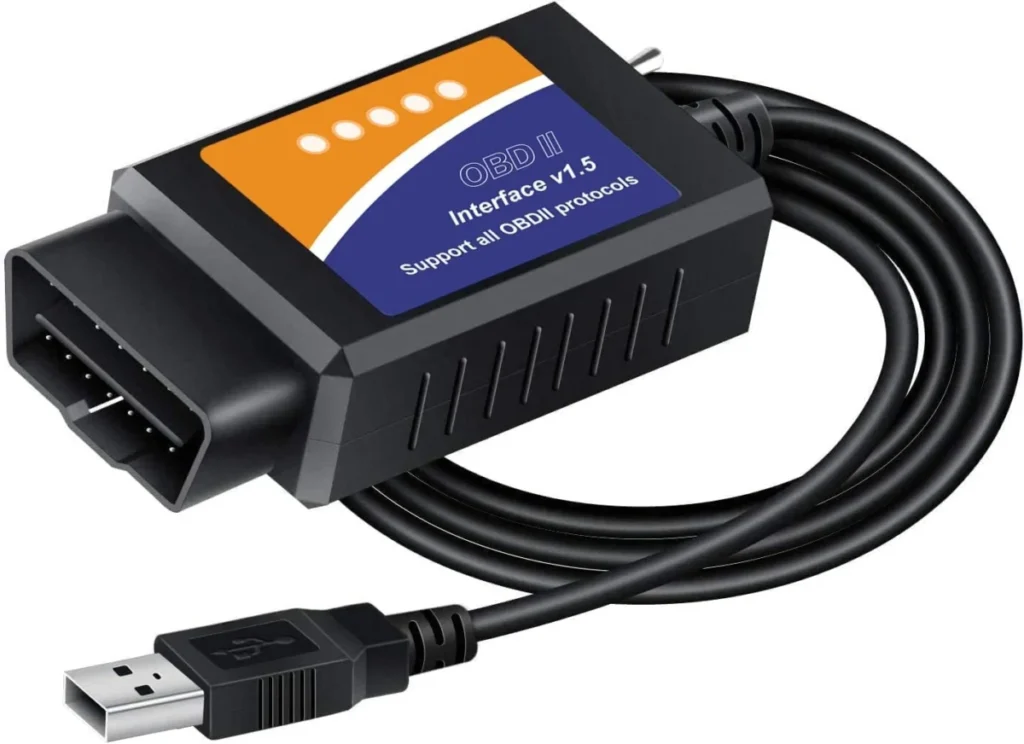
Choose it if you mainly need engine codes and want J1850 protocol support alongside CAN on a Windows laptop.
Vgate vLinker FD+
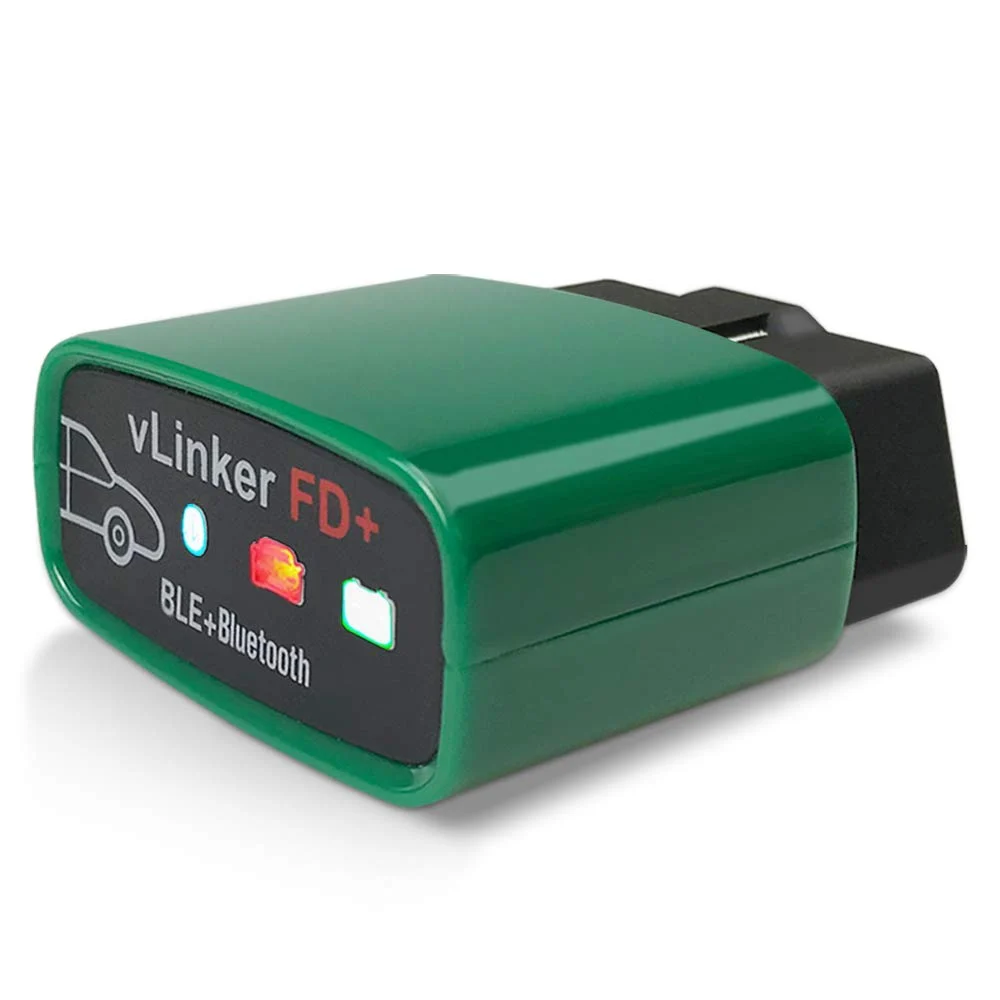
Choose it if you want a Bluetooth adapter that runs FORScan Lite on iOS or Android instead of a Windows-only USB cable.
Common questions
Frequently asked questions
Does ELM327 work with FORScan?
Yes, ELM327-compatible adapters are the standard hardware FORScan is designed to work with, including this OHP USB cable.
Can the OHP FORScan ELM327 read ABS codes?
Yes, the adapter lists engine, ABS and transmission among the systems it reads. Airbag and body modules are not listed, so an SRS warning light is outside its coverage.
Does this adapter work on a Mac or a phone?
No, it is Windows only and does not work with macOS, Chromebooks, tablets or phones unless they run a full Windows environment. For phone-based use, a Bluetooth adapter such as the Vgate vLinker FD+ is the better fit.
Why can't my computer find the FORScan cable?
A common fix is lowering the COM port number in Device Manager, for example from COM10 to COM2. If the drivers do not install automatically, install the FTDI driver manually and try a powered USB 2.0 hub between the adapter and the laptop.
Can the OHP FORScan ELM327 run service resets or active tests?
No, it is read-only and cannot send commands to the vehicle.
Will it work on a Mazda 3 or CX-30?
No, seventh-generation Mazda models including the Mazda 3, CX-30, CX-50, CX-60 and MX-30 are not compatible. Older Mazda models on the supported list are covered.
Bottom line
Should you buy the OHP FORScan ELM327?
Buy the OHP FORScan ELM327 if you own a Ford, Lincoln, Mazda or Mercury vehicle, have a Windows laptop, and want to read and clear engine, ABS and transmission codes with FORScan. It is a focused, well-reviewed cable with a two-year warranty, and it does its narrow job well.
Skip it if you need phone or Mac support, or coverage outside the Ford family. In those cases the Vgate vLinker FD+ for phone-based FORScan use or the OBDResource ELM327 USB adapter for engine-focused work are the more sensible starting points.
Keep reading
ANCEL VD500 Review: A VW and Audi Code Reader With a Battery Test
Buy the ANCEL VD500 for VW, Audi, Skoda or SEAT engine diagnostics and a battery check. Skip it if you need ABS,…
FOXWELL NT201 Review: Engine Codes, Live Data and No Subscription
Is the Foxwell NT201 worth it? Our review weighs build, upkeep and value, its pros and cons, and who should pick an…
Innova 5610 Review: What It Reads, What It Cannot Command
Innova 5610 review: device class, systems covered and bidirectional active tests, honest pros and cons, and a clear verdict on who should…