THINKCAR ThinkScan Plus Review: What It Reads and Where It Stops
Published October 29, 2026
As an Amazon Associate we earn from qualifying purchases. This never changes which products we recommend.
Verdict
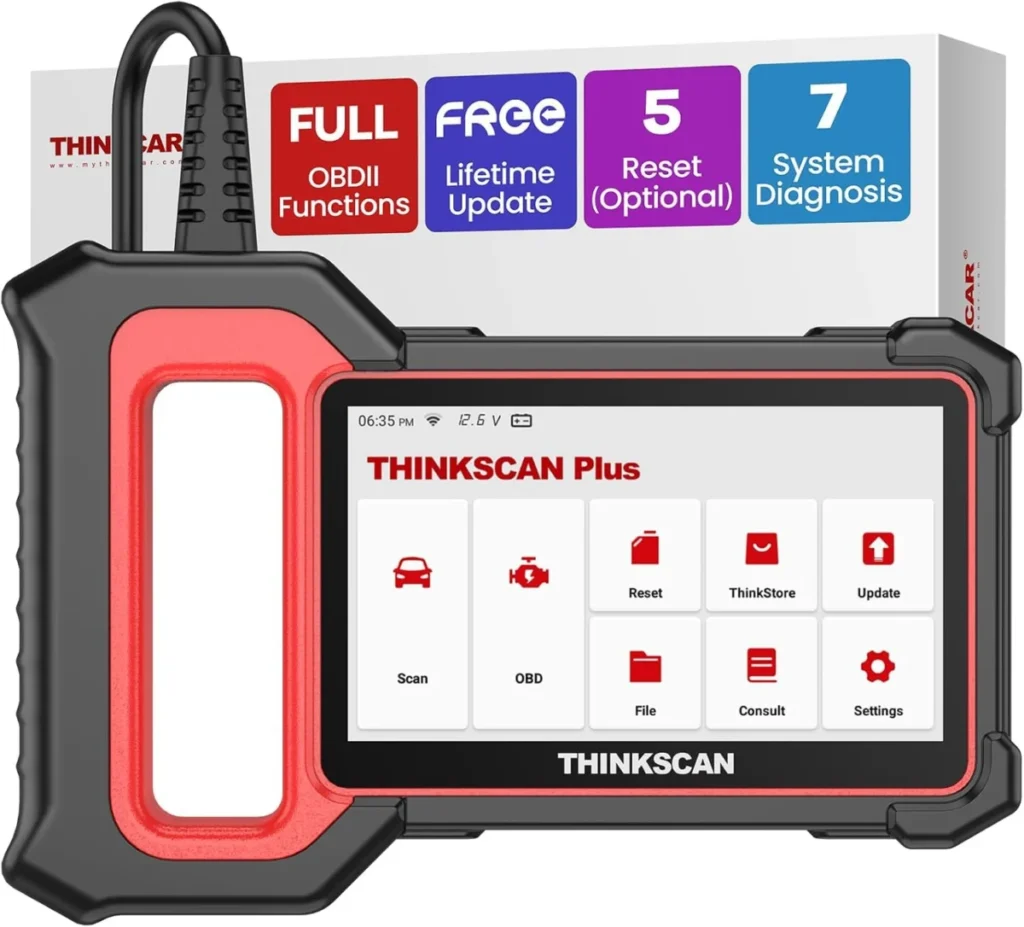
Worth considering
The ThinkScan Plus suits a DIY owner who wants ABS, airbag and transmission codes plus a handful of service resets on a mid-1990s-or-newer car, all on a 5-inch Android tablet. Buyers who need active tests, actuator commands or more than five reset functions should look at a bidirectional tool instead.
- Best for: A DIY owner with a check engine light who wants ABS, SRS and transmission codes, not just powertrain codes, A used-car buyer checking ABS or airbag warning lights before purchase, A home mechanic who needs a small set of service resets such as oil, EPB or steering angle
- Not for: Owners of pre-1996 or OBD1 vehicles without a matching adapter cable, Shops that need dozens of reset functions and all-systems depth across many brands
Key takeaways
- The ThinkScan Plus is a 7-system diagnostic tablet, not a bidirectional scan tool: it reads and clears codes but cannot command components.
- Five service resets are chosen from a longer menu, so pick the ones your car actually needs before you rely on the tool.
- Coverage is listed at 94+ brands over CAN, which fits OBD-II era cars but says nothing about pre-1996 vehicles.
- Updates are listed as free for life, which removes the subscription worry that hangs over many mid-range scan tools.
Table of contents14 sections · tap to expand
The THINKCAR ThinkScan Plus is a handheld Android diagnostic tablet that reads seven vehicle systems and runs the full set of OBD2 test modes. This THINKCAR ThinkScan Plus review answers the question a buyer actually asks: does it cover the jobs on your car, and where does it stop?
It is worth the money for a DIY owner who wants more than a basic code reader but does not need to command components. The decisive limit is that the ThinkScan Plus is read-only: it reads and clears codes, shows live data and freeze frame, but it cannot run active tests or actuator commands.
Specifications
Key specifications
| Specification | Detail | Why it matters |
|---|---|---|
| Type | OBD2 adapter (needs a phone app) | |
| Bidirectional | No (read-only) | It cannot command fans, pumps, brakes or other components, so active tests are out. |
| Systems | Engine, ABS, SRS airbag, Transmission, Body, Climate | ABS, airbag and transmission codes appear without a shop visit just to identify the fault. |
| Service resets | 5 functions | You get a small set of maintenance resets, not the full menu some rivals offer. |
| Updates | Free lifetime updates | No renewal fee is listed, which keeps long-term cost predictable. |
| Makes covered | 94+ brands | Broad brand coverage helps, but depth per make still varies. |
| Screen size | 5 in | A 5-inch touchscreen is readable for codes and live data without a phone. |
What kind of scan tool is the ThinkScan Plus?
The ThinkScan Plus is a handheld diagnostic tablet in the OBD2 scan tool class, not a code reader and not a bidirectional scan tool. That distinction matters: a code reader reads and clears engine codes, while this tool reaches seven systems and adds live data, freeze frame and I/M readiness. What the class cannot do is send commands to the car.
Because the ThinkScan Plus is read-only, it will not cycle a cooling fan, run an EVAP test on demand, retract an electronic parking brake for a pad change or bleed the ABS pump. Those jobs need a bidirectional scan tool. If your work stops at finding out why a light is on, the ThinkScan Plus covers it; if it starts with making a component move, it does not.
Which systems and modules does the ThinkScan Plus read?
The ThinkScan Plus reads the engine, ABS, SRS airbag, transmission, body, climate and dashboard systems. That spread is the main reason to choose it over a basic code reader: an ABS or airbag warning light on a used car can be traced to a module and a trouble code instead of a guess, and body and climate codes cover items such as lights, wipers, door locks and air conditioning.
Depth still varies by make. Generic powertrain codes (P codes) are standardized, but ABS, airbag and body codes are often manufacturer-specific, and how many of them the tool resolves depends on the brand software. The published coverage of 94+ brands is broad, yet an unusual or older brand is exactly where a buyer should confirm support before relying on the tool.
What does bidirectional control actually let you do?
Typical active tests include switching a cooling fan on, pulsing fuel injectors, running an EVAP test or cycling an ABS pump. The ThinkScan Plus does not offer this, so diagnosis stays at reading codes and watching live data.
For many DIY jobs that is enough. A P0420 catalyst efficiency code or a P0171 lean condition is diagnosed from freeze frame, live data and readiness monitors, all of which the ThinkScan Plus shows. The gap appears when a code points to a circuit and you want to prove the actuator itself is faulty. At that point a bidirectional tool earns its cost, and the ThinkScan Plus becomes the first step rather than the last.
Service resets: five functions, chosen carefully
The ThinkScan Plus includes five service reset functions, and the choice of which five matters more than the count. Common picks are oil reset, electronic parking brake (EPB), steering angle sensor (SAS), throttle relearn and TPMS. Pick the set that matches your cars, because a reset you did not select is a job the tool cannot finish.
This is where the ThinkScan Plus separates from tools that bundle a dozen or more resets. A home mechanic who services one or two cars can usually live within five functions. Someone maintaining a small fleet, or a side mechanic taking on varied brake, battery and transmission work, will hit the ceiling quickly and should compare against a tool with a larger reset menu before buying.
Which cars and model years does the ThinkScan Plus cover?
OBD-II has been mandatory on US cars since 1996, and CAN has been required since 2008, so a modern car is the natural fit. CAN support also covers many earlier OBD-II vehicles, but a pre-2008 car using an older protocol is the case to check against the brand list.
Pre-1996 cars are outside this tool's scope. Those vehicles use OBD1 connectors, and an OBD1 adapter cable changes the plug, not the protocol, so the scan tool still has to support that car. An owner of an older or unusual brand should confirm the specific model is listed before purchase rather than assume the 94+ brand figure covers it.
Screen, connection and updates
The ThinkScan Plus runs on a 5-inch touchscreen with Android, and the published type label describes an OBD2 adapter that needs a phone app, so confirm how you intend to view data before buying. A 5-inch screen is comfortable for codes, freeze frame and live data streams without tying up your phone. The tool is corded electric, so it draws power from the car rather than a battery you have to charge.
Updates are listed as free lifetime updates, which is a real advantage over tools that charge after a first free year. Keeping the brand software current matters because manufacturer-specific ABS, airbag and body codes change as new models arrive. The tradeoff is that a read-only tablet still cannot do bidirectional work no matter how current its software is.
Value: ThinkScan Plus against two alternatives
For a DIY owner who wants seven systems and a few resets on a tablet, the ThinkScan Plus is a sensible middle step between a basic code reader and a professional bidirectional tool. It reads the modules that matter for warning lights and gives you live data and readiness monitors, and free lifetime updates keep the cost from creeping. The limit is the read-only design and the five-reset cap.
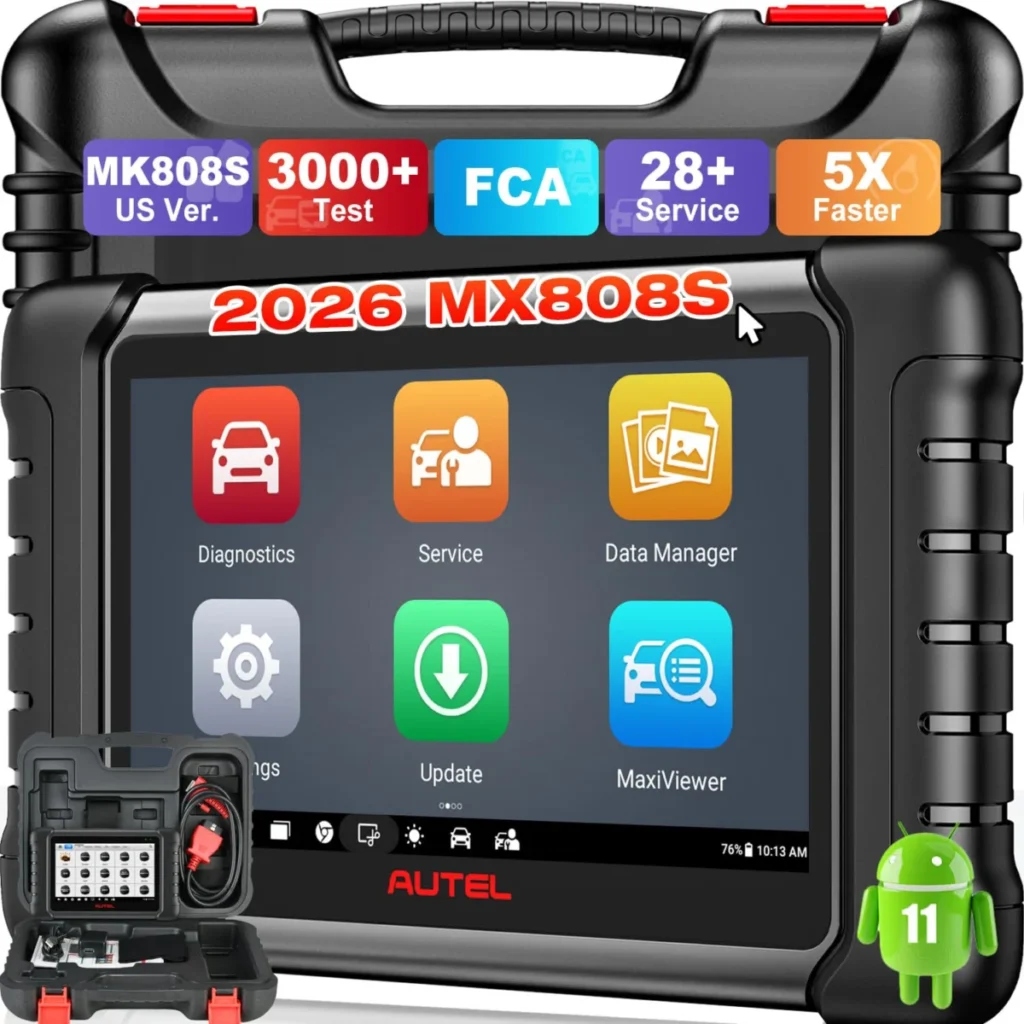
Two alternatives fit different buyers. The Autel MaxiCheck MX808S is a bidirectional scan tool with 3000+ active tests and 28 service functions across 200+ brands, so choose it if you need to command components or cover many resets, accepting a higher cost and a subscription mentioned in its listing. The THINKCAR THINKSCAN 662 is also bidirectional, with 12 resets and free lifetime updates, and suits a buyer who wants active tests without stepping up to the Autel.
Who should skip the ThinkScan Plus?
Skip the ThinkScan Plus if your work regularly involves making components move: ABS bleeding, EPB retraction for pad changes, EVAP tests on demand or injector and fan checks. Those tasks need a bidirectional scan tool, and the ThinkScan Plus cannot send those commands. A buyer in that group should compare the Autel MaxiCheck MX808S or the THINKCAR THINKSCAN 662 instead.
Also skip it if you own a pre-1996 car, need more than five service resets, or want all-systems depth on a single unusual brand without confirming coverage. For everyone else, the ThinkScan Plus is a reasonable buy: it reads the systems behind ABS, airbag and transmission lights, shows live data and readiness monitors, and updates free for life.
Strengths and weaknesses
Pros and cons
Pros
- Reads seven systems including ABS, SRS airbag, transmission, body and climate, so warning lights beyond the engine can be traced to a code.
- Full OBD2 test modes cover freeze frame, live data, I/M readiness, O2 sensor and EVAP tests.
- Free lifetime updates are listed, avoiding a renewal fee.
Cons
- Read-only design: no active tests or actuator commands, so it cannot cycle fans, retract an EPB or bleed ABS.
- Only five service reset functions, which limits brake, battery and transmission maintenance work.
- Pre-1996 and OBD1 cars are outside its scope.
- The published type label points to an app-linked device, so confirm how you will view data before buying.
Other options
Alternatives to consider
Autel MaxiCheck MX808S
THINKCAR THINKSCAN 662
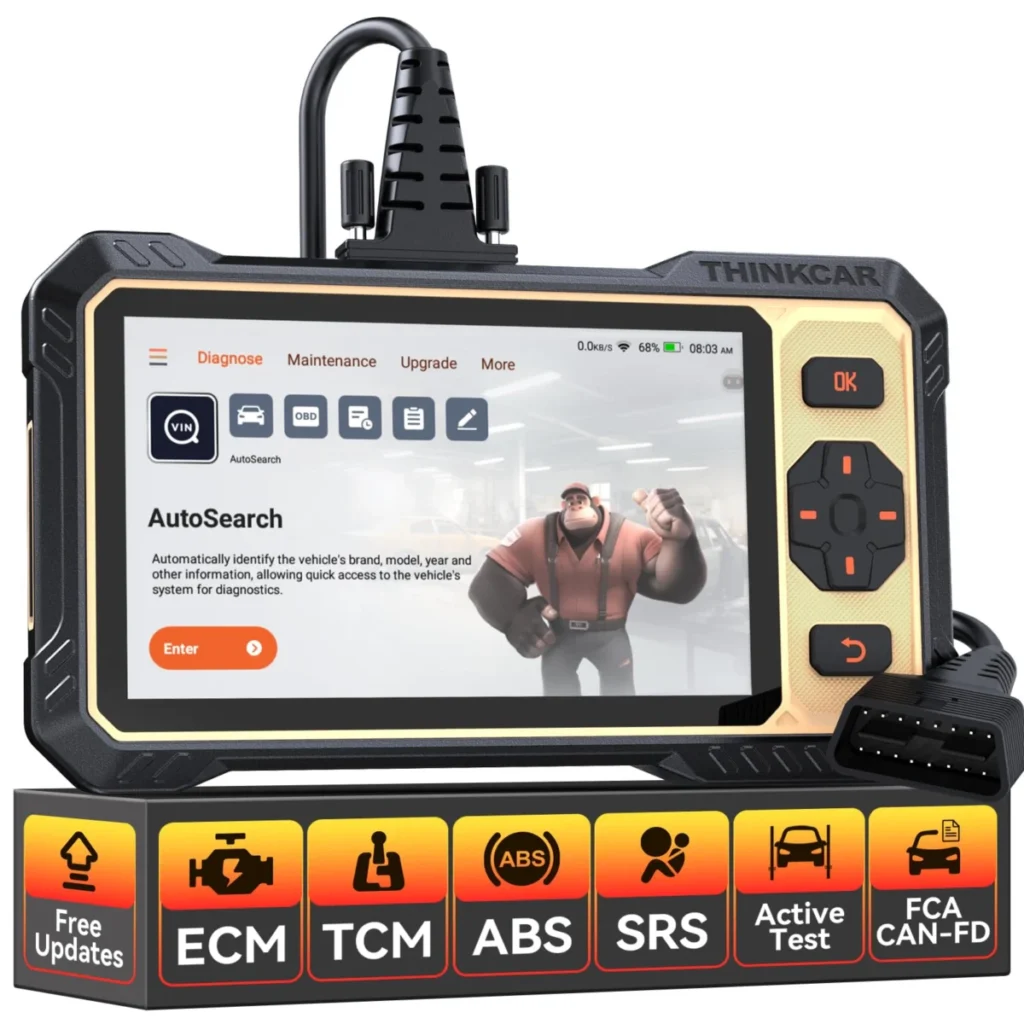
Choose it if you want bidirectional active tests and 12 service resets with free lifetime updates at a lower step than the Autel.
See also: THINKCAR ThinkDiag Review: All-System Diagnostics and Active Tests on Your Phone.
Common questions
Frequently asked questions
Does the THINKCAR ThinkScan Plus read ABS and airbag codes?
Yes. The ThinkScan Plus covers the ABS and SRS airbag modules along with engine, transmission, body, climate and dashboard systems, so an ABS or airbag warning light can be traced to a code. How many manufacturer-specific codes it resolves depends on the brand software for your car.
Can the ThinkScan Plus do bidirectional tests and service resets?
It does service resets but not bidirectional tests. The tool is read-only, so it cannot command components such as fans, pumps or brakes. It does include five service reset functions chosen from a longer menu, so pick the ones your car needs.
Does the ThinkScan Plus need a subscription or paid updates?
No subscription is listed. Updates are described as free lifetime updates, which keeps long-term cost predictable. Confirm the current terms at purchase, since software policies can change.
Will the ThinkScan Plus work on my car and which brands does it cover?
It covers 94+ brands over the CAN protocol, which fits OBD-II era cars. CAN has been required on US cars since 2008, and many earlier OBD-II vehicles use it too. Check your specific model against the brand list, especially for older or unusual makes.
Can the ThinkScan Plus reset an oil light or electronic parking brake?
It can if you selected those functions among the five service resets. Oil reset and EPB are common picks, but the tool only performs the resets you chose, so confirm your selection matches your car before relying on it.
Does the ThinkScan Plus work on older pre-1996 cars?
No. The ThinkScan Plus is aimed at OBD-II era vehicles.
Bottom line
Should you buy the THINKCAR ThinkScan Plus?
Buy the THINKCAR ThinkScan Plus if you are a DIY owner or used-car buyer who needs ABS, airbag, transmission and body codes plus a few service resets, and your work stops at finding the fault. It reads the modules behind warning lights, shows live data and readiness monitors, and updates free for life.
Skip it if you need active tests, more than five resets or pre-1996 coverage. In that case the Autel MaxiCheck MX808S or the THINKCAR THINKSCAN 662 fits better, because both are bidirectional scan tools with larger reset menus.
Keep reading
THINKCAR ThinkDiag Review: All-System Diagnostics and Active Tests on Your Phone
THINKCAR ThinkDiag review: dealer-style all-system codes and active tests on iOS or Android, with no built-in screen and no support for pre-1996…
ANCEL FX2000 Review: Four-System Codes Without a Phone
Is the ANCEL FX2000 worth it? Our review weighs device class, systems read and bidirectional control, its pros and cons, and who…
Launch Creader 3001 Review: What This Code Reader Can and Cannot Diagnose
Launch Creader 3001 review: device class, systems read and vehicle coverage including, honest pros and cons, and a clear verdict on who…