Innova 5610 Review: What It Reads, What It Cannot Command
Published October 29, 2026
As an Amazon Associate we earn from qualifying purchases. This never changes which products we recommend.
Verdict
Worth considering
The Innova 5610 suits a DIY owner who wants a wired handheld for engine and transmission codes, live data and readiness checks without depending on a phone. Buyers who need ABS, airbag or body module access, or who want active tests and service resets, should look at a full bidirectional scan tool instead.
- Best for: A DIY owner reading and clearing engine codes and watching live data on a handheld screen, A used-car buyer checking stored codes, freeze frame and I/M readiness monitors before purchase, A home mechanic who prefers a wired tool with its own display over a Bluetooth adapter and phone app
- Not for: An owner chasing an ABS or airbag warning light who needs those modules read, A DIY brake or oil service that requires an electronic parking brake retract or a guided oil reset
Key takeaways
- The Innova 5610 is a handheld OBD2 scan tool in the CarScan Pro line, not a full bidirectional scan tool.
- Published specifications list engine and transmission coverage; ABS, SRS airbag and body modules are not listed, so a warning light on those systems needs a different tool.
- It runs wired from the 16-pin OBD-II port with its own screen, so no phone app or pairing is involved.
- The main drawback is scope: active tests, service resets and make-specific depth are not part of the published feature set.
Table of contents14 sections · tap to expand
The Innova 5610 is a handheld OBD2 scan tool sold under the CarScan Pro name. It plugs into the 16-pin diagnostic link connector, draws power from the car and shows results on its own screen, so it works without a phone, tablet or app. This Innova 5610 review focuses on what the tool reads and commands, where its coverage stops and which buyer it fits.
Is it worth buying? For engine and transmission diagnostics on an OBD-II car, yes, if a wired handheld is what you want. It is not the tool for ABS, airbag or body faults, and it is not a bidirectional scan tool in the sense of running active tests or service resets.
Specifications
Key specifications
| Specification | Detail | Why it matters |
|---|---|---|
| Bidirectional | No (read-only) | The tool reads data but does not send commands, so active tests and actuator control are out of scope. |
| Warranty | 5-year warranty | A long warranty lowers the risk of a failed cable or connector over years of DIY use. |
| Device class | Handheld OBD2 scan tool | A self-contained tool with its own screen works without a phone, tablet or app. |
| Connection | Wired to the 16-pin OBD-II port | No pairing or app connection to troubleshoot, and the tool draws its power from the car. |
Code reader or bidirectional scan tool: which one is the Innova 5610?
The Innova 5610 is a read-only OBD2 scan tool, not a bidirectional scan tool. It pulls trouble codes, freeze frame and live data from the car's modules and can clear codes, but it does not send commands back to the vehicle. Anything that requires the tool to tell a module to do something, such as cycling a cooling fan, running an EVAP test or retracting an electronic parking brake, is outside what this device does.
That distinction matters more than screen size or brand name. A basic code reader and a bidirectional scan tool can look similar in a listing, but only the second can run active tests and guided service functions. If your job is reading a check engine light and watching sensor values, the 5610 fits. If your job is commanding a module, it does not.
Which modules can the Innova 5610 actually see?
Published specifications list engine and transmission coverage. That means powertrain codes, including generic codes such as P0420 or P0300, and transmission control module data are within reach. ABS, SRS airbag and body control modules are not listed, so an ABS or airbag warning light is not something this tool is specified to read.
This is the most common source of disappointment with handheld tools in this class. A dash light for brakes or airbags points to a module a basic OBD2 tool cannot query, and the fix is a scanner with enhanced, make-specific coverage for those systems. Before buying, check that the modules you need are named in the coverage for your make, model and year.
Live data, freeze frame and readiness monitors
Live data, freeze frame and I/M readiness monitors are the practical core of a tool like this. Freeze frame records the conditions at the moment a fault was stored, which helps you judge whether a code appeared at idle, under load or during a cold start. Readiness monitors show whether the emissions self-tests have completed, which is useful before a smog check or a used-car purchase.
Live data (PIDs) lets you watch sensor values change as the engine runs, which is how you separate a sensor fault from a wiring or vacuum problem. A code points to a circuit or system, not always to a failed part, so the data view is what turns a code into a decision. Clearing codes resets readiness monitors, so do not clear them right before an emissions test.
Vehicle coverage, OBD1 support and the adapter question
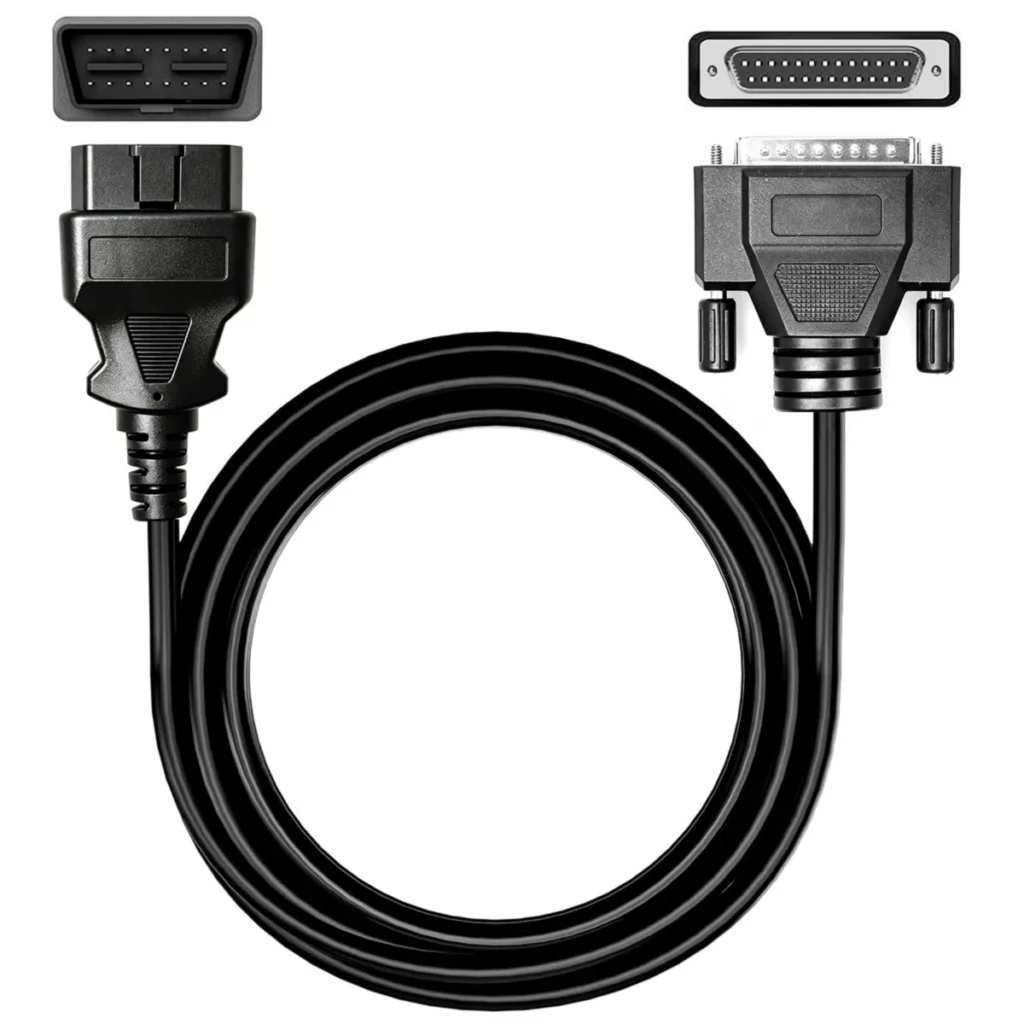
OBD-II is mandatory on US cars from 1996, and CAN bus became the required protocol from 2008. A pre-1996 car may use an OBD1 connector instead, and an OBD1 adapter cable changes the plug, not the protocol, so the scan tool still has to support that older format. The 5610's published coverage is OBD-II, so a pre-1996 owner should confirm OBD1 support before buying rather than assume an adapter cable solves it.
Make-specific depth also varies. Engine and transmission access is broad, but the enhanced functions that shops rely on for a particular brand are a different tier of tool. If you own one brand and want deep coverage, check that brand's module list against the tool's coverage chart first.
Software, updates and total cost
The published specifications do not state an update term or a subscription for the Innova 5610, so treat any claim about free lifetime updates or a paid renewal as unconfirmed until the seller states it in writing. Update and subscription terms change total cost more than the purchase price does, especially for tools that gate functions behind a plan.
Ask two questions before buying: whether software updates are included and for how long, and whether any diagnostic function requires a paid account. A tool that reads engine codes today but needs a subscription for deeper functions later is a different value proposition than one that does not.
Handheld wired operation versus a Bluetooth adapter
The 5610 runs wired from the OBD-II port with its own display, which means no pairing, no app updates and no phone battery to manage. That is a real advantage in a driveway or a cold garage, and it keeps the tool usable on a car whose owner does not want to install software. The tradeoff is a single-purpose device with a fixed feature set.
A Bluetooth OBD2 adapter paired with a phone app can cost less and adds graphing on a larger screen, but it depends on the phone, the app and a stable connection, and cheap ELM327-based clones vary in quality. Choose the handheld if you want a self-contained tool; choose the adapter if you want low cost and are comfortable troubleshooting connections.
Who should skip the Innova 5610
Skip the 5610 if your problem is an ABS, airbag or body module fault, because those systems are not in its published coverage. Skip it if your service job needs an electronic parking brake retract, a guided oil reset or a battery registration, since those are service functions a read-only tool does not perform.
The Autel MaxiCOM MK808BT PRO lists engine, ABS, SRS airbag, transmission and body coverage with 28 service functions and bidirectional control, which is a different class of device for a different buyer.
Value against a simpler code reader or a phone adapter
Against a basic code reader, the 5610 earns its place through transmission coverage, live data and freeze frame rather than engine codes alone. Against a Bluetooth adapter and app, it trades flexibility and screen size for a self-contained, wired design with a stated 5-year warranty. Neither comparison makes it the right tool for module faults outside engine and transmission.
The honest value test is the job list. If your tasks are check engine light diagnosis, readiness checks and watching PIDs, the 5610 covers them. If your list includes ABS, airbag, service resets or active tests, put the budget toward a bidirectional scan tool instead.
Strengths and weaknesses
Pros and cons
Pros
- Reads engine and transmission modules, going beyond a basic engine-only code reader
- Shows live data, freeze frame and I/M readiness monitors for diagnosis and emissions checks
- Backed by a stated 5-year warranty
Cons
- Not bidirectional: no active tests or actuator commands
- ABS, SRS airbag and body modules are not in the published coverage
- No update term or subscription detail is stated, so total cost needs confirming with the seller
Other options
Alternatives to consider
Autel MaxiCOM MK808BT PRO

Autel MaxiCOM MK900TS

Common questions
Frequently asked questions
Is the Innova 5610 a bidirectional scan tool?
No. The published specifications list it as read-only, so it reads codes and live data but does not send commands to the car.
Does the Innova 5610 read ABS and airbag codes?
Engine and transmission are the systems listed in its published coverage; ABS and SRS airbag modules are not. For an ABS or airbag warning light, confirm module support for your specific car or choose a tool that names those systems.
Does the Innova 5610 need a subscription or paid updates?
Ask the seller in writing whether software updates are included and for how long before you buy, since that changes the total cost.
Can the Innova 5610 do an oil reset or retract an electronic parking brake?
Those are service functions, and the 5610 is specified as read-only, so do not count on it for an oil reset or an electronic parking brake retract.
Will the Innova 5610 work on my car?
It works on OBD-II cars, which in the US means 1996 and later. A pre-1996 car may need OBD1 support, and an adapter cable changes the plug, not the protocol, so confirm that support before buying.
Is the Innova 5610 any good for a DIY mechanic?
It is a reasonable handheld for engine and transmission diagnosis, live data and readiness checks.
Bottom line
Should you buy the Innova 5610?
The Innova 5610 is worth considering if your work is engine and transmission diagnostics: check engine lights, freeze frame, live data and readiness monitors, all on a wired handheld with a stated 5-year warranty. It is a focused tool, and it does those jobs without a phone or app.
For those buyers, a bidirectional scan tool such as the Autel MaxiCOM MK808BT PRO is the better match, and it is the upgrade path this review points to.
Keep reading

Code Reader vs OBD2 Scanner: Where the Line Falls at Live Data and ABS
Code Reader vs OBD2 Scanner compared on where the line falls: powertrain codes versus other modules and live data, with clear guidance…
Bluetooth vs Wired OBD2 Scanner: Which Fits Your Phone, Car and Repair Job
Bluetooth OBD2 Scanner or Wired OBD2 Scanner? Compare what each type is and screen side by side, with clear rules for which…
OBD vs OBD2 Scanner: What the Names Mean and Which Tool Your Car Needs
OBD is the standard family and OBD2 is the 1996-and-newer version. See which device class reads your engine, ABS or airbag faults,…