Laptop OBD2 Software: 4 Picks and the Adapters They Accept
Published October 29, 2026
As an Amazon Associate we earn from qualifying purchases. This never changes which products we recommend.
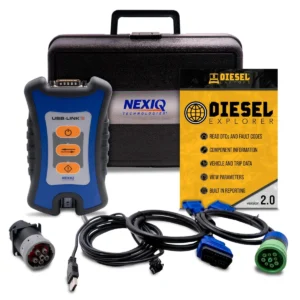
The best OBD2 Software for Laptop depends on the adapter you pair it with, and the strongest complete kit here is the Diesel Laptops Nexiq USB Link 3 Wired Edition: it bundles the vehicle interface, the cables and a diagnostic software subscription in one purchase, so there is no chipset guessing. It is built around diesel work, which is the tradeoff that separates it from the cheaper Ford and Mazda option below.
Laptop diagnostics fail for one reason more than any other: the program and the adapter do not speak the same language. A USB adapter with a switchable CAN channel reaches modules that a generic Bluetooth dongle cannot, and a free program will not open ABS, SRS or body modules no matter which adapter you plug in. The picks below are ranked by how completely they solve that pairing problem.
 Best OverallDiesel Laptops Nexiq USB Link 3 WiredDiesel owners and shops wanting a complete wired kit7.3/10
 Best Wireless Diesel KitDiesel Laptops Nexiq USB Link 3 WirelessDiesel work where a cable gets in the way6.9/10
 Best for Ford and MazdaMOCATEC USB OBD Adapter for FORScanFord, Lincoln, Mercury and Mazda owners running FORScan6.3/10
 Best for Mitsubishi ExcavatorsFcrhcy MUT-III Excavator ScannerExcavator technicians, not car owners6.0/10
Table of contents9 sections · tap to expand
At a glance
Our top picks compared
| Product | Best for | Type and size | Key features | Where to buy |
|---|---|---|---|---|
| 1. Diesel Laptops Nexiq USB Link 3 Wired Best Overall 7.3/10 | Diesel owners and shops wanting a complete wired kit | OBD2 scan tool, Handheld/tablet with wireless dongle, Engine | Budget Check price | |
| 2. Diesel Laptops Nexiq USB Link 3 Wireless Best Wireless Diesel Kit 6.9/10 | Diesel work where a cable gets in the way | OBD2 scan tool, Handheld/tablet with wireless dongle, Engine | Mid-range Check price | |
| 3. MOCATEC USB OBD Adapter for FORScan Best for Ford and Mazda 6.3/10 | Ford, Lincoln, Mercury and Mazda owners running FORScan | OBD2 adapter, USB, Engine, ABS, SRS airbag, Transmission, Body | ABS/SRSWorks with iPhone | Budget Check price |
| 4. Fcrhcy MUT-III Excavator Scanner Best for Mitsubishi Excavators 6.0/10 | Excavator technicians, not car owners | Enhanced scan tool (coding), Wired (handheld), Engine | Premium Check price |
Score: our 0-10 rating from fit for this use, buyer ratings, review volume, completeness of the product details and availability. It is not a lab test.
Buying advice
How to choose laptop OBD2 software and an adapter that work together
Start with the connection type your program accepts
The adapter's connection type decides which programs can use it, so pick the program first and the adapter second. A USB adapter is the most dependable choice on a Windows laptop because there is no pairing and no dropped link during a long live-data session, which is why the MOCATEC unit is wired.
Bluetooth and Wi-Fi adapters add convenience but depend on the chipset and the Windows Bluetooth stack, and a Wi-Fi adapter takes over the laptop's wireless connection while it is plugged in. Confirm the app listing names the connection type before you buy.
Decide whether you need engine codes or full modules
Every OBD2 program reads generic powertrain codes and emissions data, but ABS, SRS airbag, transmission and body modules need manufacturer-specific support that only some programs provide. FORScan reaches those modules on Ford, Lincoln, Mercury and Mazda vehicles, which is why the MOCATEC adapter matters for those owners. If your warning light is for brakes or airbags and you drive something else, laptop software is the wrong purchase and a handheld bidirectional scan tool is the better buy.
Separate the one-time price from the ongoing cost
Laptop diagnostics has two cost layers: the adapter, which is a one-time purchase, and the software, which may be free, a one-time license or a subscription. The Diesel Laptops kits include a 90-day Diesel Repair Professional subscription, so the cost continues after that period if you keep the service. Free programs cover engine codes and live data but rarely enhanced modules. Add up the adapter plus a year of software before comparing a laptop setup with a handheld tool.
Match the tool to the vehicle, not the other way round
Coverage is make-specific and sometimes machine-specific. The MOCATEC adapter is built for Ford, Lincoln, Mercury and Mazda, and the Fcrhcy MUT-III kit is explicitly not for cars or trucks: it is an excavator tool. The Diesel Laptops kits are diesel-oriented. Buying outside your vehicle's coverage wastes money even when the hardware is good, so check the makes and model years a kit lists before ordering.
Our picks
Laptop OBD2 software and adapter kits, ranked
Best Overall
Diesel Laptops Nexiq USB Link 3 Wired
- OBD2 scan tool
- Handheld/tablet with
- No
- Engine
- Windows
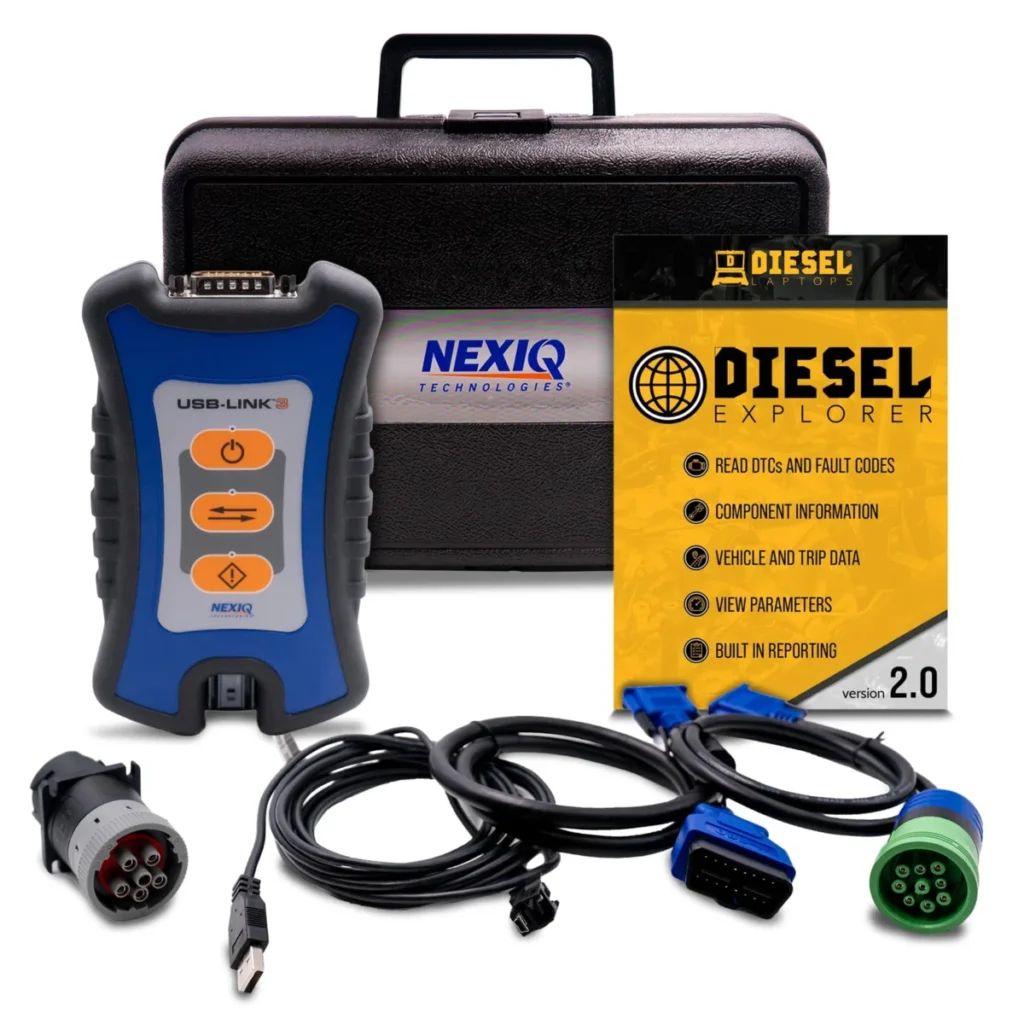
Best for: Diesel owners and shops wanting a complete wired kit
Skip if: You need bidirectional tests, ABS or airbag coverage, or a tool that runs without a Windows laptop.
Price range: Budget
Check price on AmazonPaid link. We may earn a commission.
Best Overall because it pairs the Nexiq USB-Link 3 wired vehicle interface with Diesel Explorer software and a 90-day Diesel Repair Professional subscription in one box.
What matters in daily use
The wired USB-Link 3 is the anchor of this kit: a corded vehicle interface that connects to a Windows laptop, so the diagnostic software runs on a screen and keyboard rather than a handheld body. The bundle adds the 9-pin Deutsch, OBDII and 6-pin connectors, which is what lets one interface reach both light-duty OBD-II ports and heavier diesel diagnostic connectors.
Diesel Explorer handles the day-to-day work: viewing and clearing fault codes, live data and ECM reports, while the 90-day Diesel Repair Professional subscription supplies troubleshooting trees, wiring diagrams and labor time guides. The tradeoff is that this is a read-only engine tool on Windows, so it cannot run active tests. The Wireless edition costs more flexibility but the same read-only limit applies.
Specifications
| Type | OBD2 scan tool |
|---|---|
| Connection | Handheld/tablet with wireless dongle |
| Bidirectional | No (read-only) |
| Systems | Engine |
| Functions | Live data |
| Subscription | Mentioned in the listing |
| Platform | Windows |
| Fuel | diesel |
| Warranty | 12 month warranty |
Pros
- Wired link avoids pairing and dropouts
- Three connector types cover light and heavy diesel ports
- Repair subscription adds wiring diagrams and labor times
- Runs on a laptop screen for easier reading
Cons
- Read-only, so no active tests or actuator commands
- Engine systems only, no ABS or airbag modules
- Windows laptop required at the vehicle
Best Wireless Diesel Kit
Diesel Laptops Nexiq USB Link 3 Wireless
- OBD2 scan tool
- Handheld/tablet with
- No
- Engine
- Windows
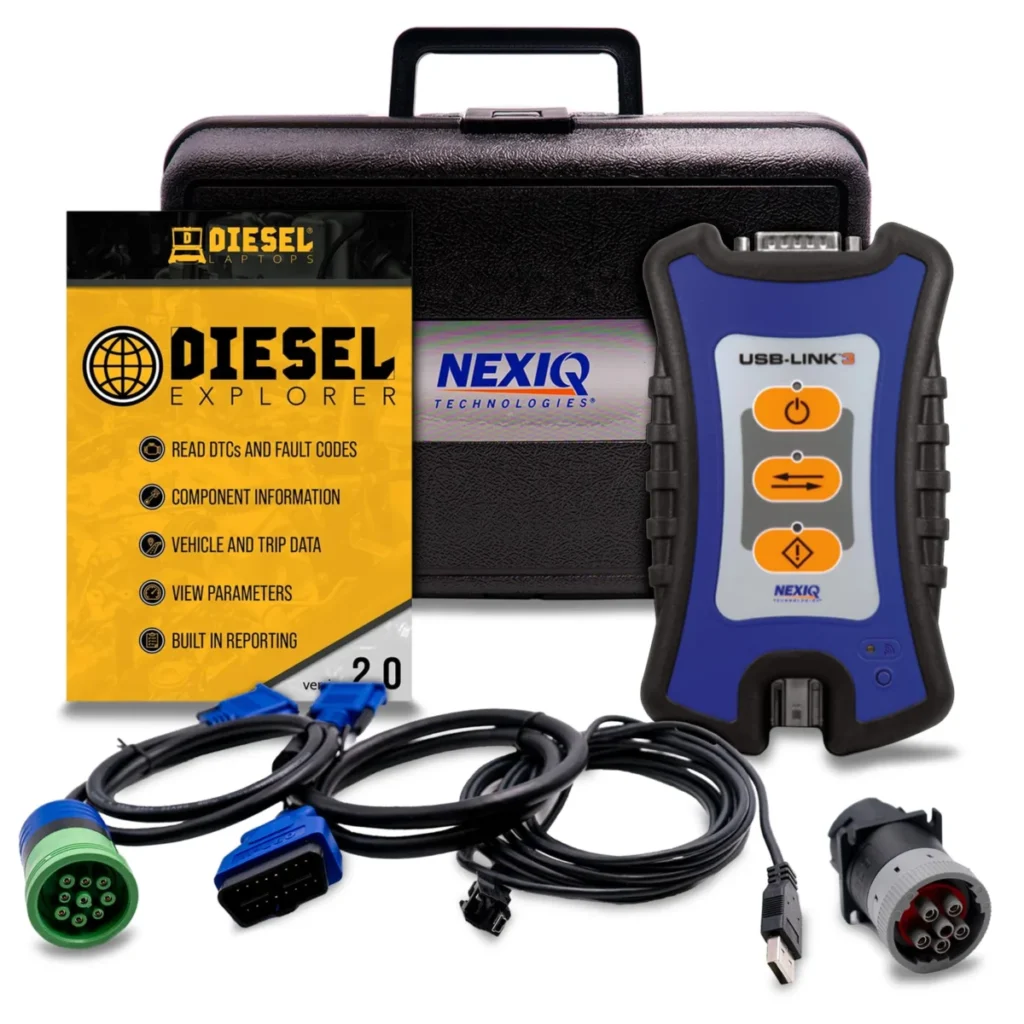
Best for: Diesel work where a cable gets in the way
Skip if: You want the lowest-risk connection and do not mind a cable, or you need bidirectional control.
Price range: Mid-range
Check price on AmazonPaid link. We may earn a commission.
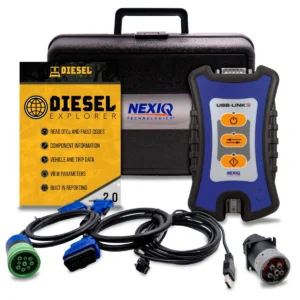
Best Wireless Diesel Kit: it delivers the same Nexiq USB-Link 3 bundle and Diesel Explorer software as the wired version, but over Bluetooth and Wi-Fi instead of a cable.
What matters in daily use
Bluetooth and Wi-Fi change where the laptop sits. Instead of a latching USB cable tethering the computer to the diagnostic connector, the wireless vehicle interface lets the laptop rest on a seat or bench while you work around a diesel engine bay. The connector set is unchanged: 9-pin Deutsch, OBDII and 6-pin, so the same range of diesel ports is covered.
The software side matches the wired kit, with Diesel Explorer for fault codes, live data and ECM reports plus 90 days of Diesel Repair Professional. It remains a read-only engine tool on Windows, so it reads and clears codes but cannot command components. Choose the Wired edition if you prefer a fixed connection; choose this one when cable routing is the annoyance.
The wireless link suits a two-person job, where one person watches live data on the laptop while the other works under the hood, and it keeps the laptop away from the heat and vibration of the engine bay. The tradeoff is that a Bluetooth or Wi-Fi drop mid-session can interrupt a data log, which a latched cable does not do.
Specifications
| Type | OBD2 scan tool |
|---|---|
| Connection | Handheld/tablet with wireless dongle |
| Bidirectional | No (read-only) |
| Systems | Engine |
| Functions | Live data |
| Subscription | Mentioned in the listing |
| Platform | Windows |
| Fuel | diesel |
| Warranty | 12 month warranty |
Pros
- No cable between laptop and diagnostic port
- Same connector set as the wired kit
- Repair subscription included for 90 days
- Live data and ECM reports on a laptop screen
Cons
- Wireless pairing adds a setup step
- Read-only, with no active tests
- No coverage of ABS, airbag or transmission modules
Best for Ford and Mazda
MOCATEC USB OBD Adapter for FORScan
- OBD2 adapter (needs a phone app)
- USB
- No
- Engine, ABS, SRS airbag
- iOS, Android, Windows
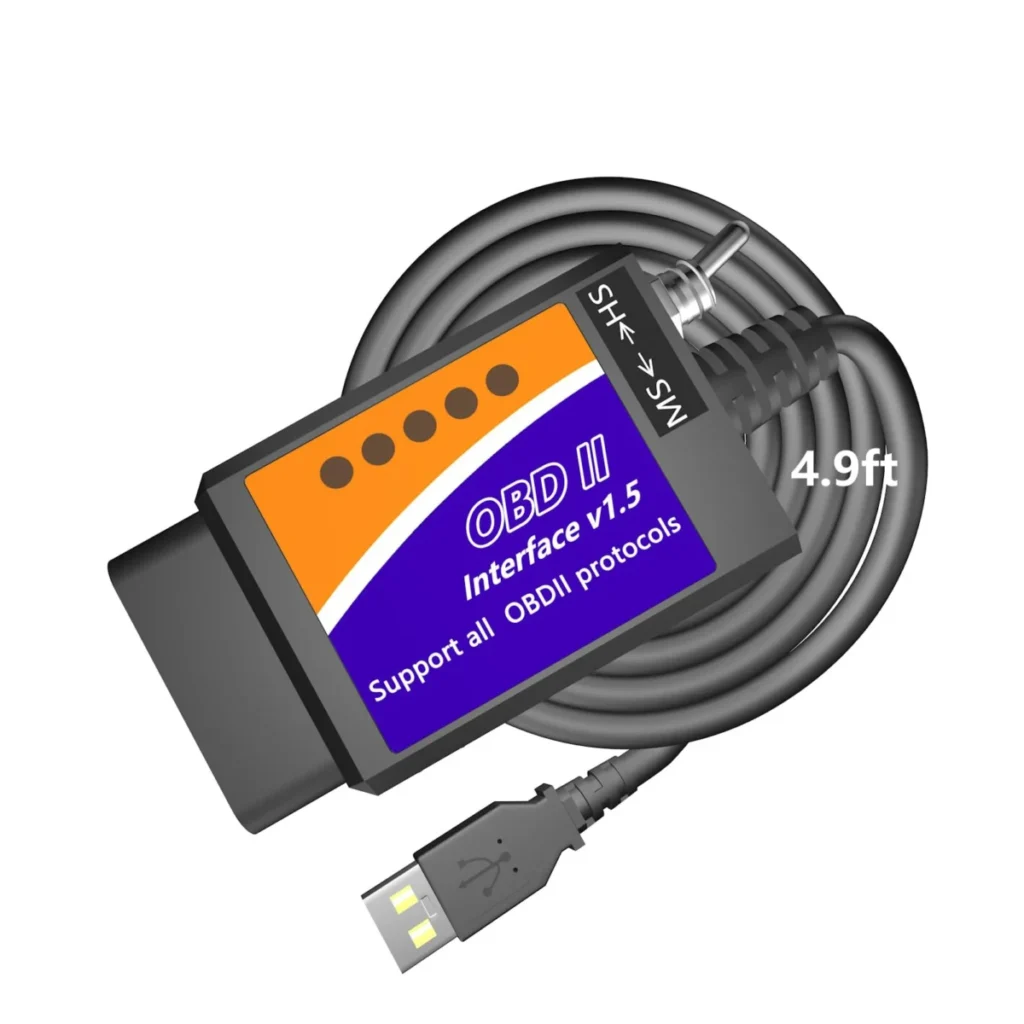
Best for: Ford, Lincoln, Mercury and Mazda owners running FORScan
Skip if: You drive neither a Ford-family nor a Mazda vehicle, or you only have a Mac, iPhone or Android device.
Price range: Budget
Check price on AmazonPaid link. We may earn a commission.
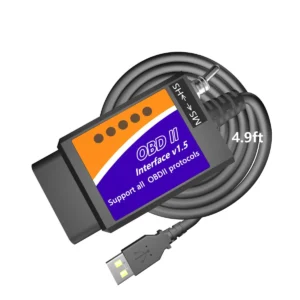
Best for Ford and Mazda because this USB adapter is built to run FORScan on a Windows laptop and reach the modules that software exposes, including body and transmission.
What matters in daily use
This is an OBD2 adapter, not a standalone tool: it needs FORScan on an x86 or x64 Windows laptop, and the built-in HS-CAN and MS-CAN toggle switch is what lets FORScan cross between the two CAN networks to reach modules on either side. Coverage is Ford, Lincoln and Mercury from 1996 to 2025 (with limited 2025-26 support) and Mazda from 1996 to 2022 up to the 6G generation, with partial 7G support.
The published systems list goes beyond engine codes to ABS, SRS airbag, transmission and body, which is the practical reason to pick it over a basic code reader. The tradeoff is platform lock-in: no macOS, iOS or Android, and feature programming only works where the vehicle already has the matching factory modules. The Diesel Laptops Nexiq USB Link 3 Wired covers diesel engines instead, not Ford body modules.
Specifications
| Type | OBD2 adapter (needs a phone app) |
|---|---|
| Connection | USB |
| Bidirectional | No (read-only) |
| Systems | Engine, ABS, SRS airbag, Transmission, Body |
| Functions | Read/clear codes, Freeze frame, Live data |
| Platform | iOS, Android, Windows |
| App | FORScan |
| Protocols | CAN |
| Makes covered | Ford, Lincoln, Mazda |
Pros
- Reaches body and transmission modules via CAN switching
- Long 4.9 ft cable reaches the passenger seat
- Reads ABS and airbag codes, unlike a basic reader
- Works with free third-party FORScan software
Cons
- Windows x86/x64 only, no Mac or phone support
- Read-only, no bidirectional commands
- Programming depends on the vehicle having the module
Best for Mitsubishi Excavators
Fcrhcy MUT-III Excavator Scanner
- Enhanced scan tool (coding)
- Wired
- No
- Engine
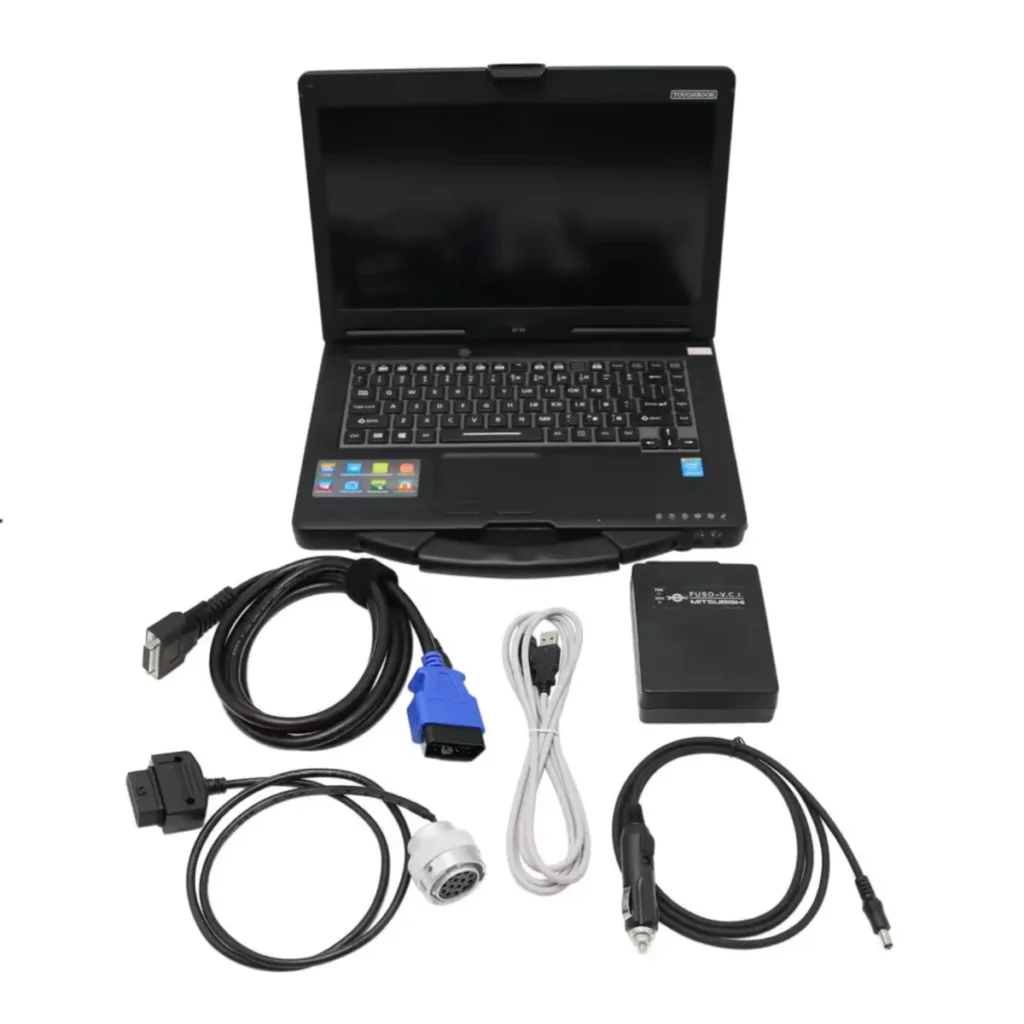
Best for: Excavator technicians, not car owners
Skip if: Skip it for any car or truck; it is intended for excavator work only.
Price range: Premium
Check price on AmazonPaid link. We may earn a commission.
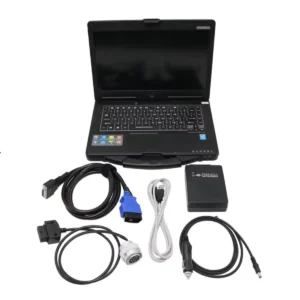
Earns its award only because it is built for Mitsubishi excavators: MUT-III diagnostics plus Engine Scope software for heavy equipment, not passenger cars.
What matters in daily use
The Fcrhcy MUT-III kit is an enhanced scan tool (coding) that runs wired on a Windows 10 Pro laptop, with the software installed on the computer rather than a phone. Its Engine Scope software (V12.1, in Chinese, English and Japanese) monitors engine data, shows fault codes and error logs, and covers fuel injector replacement, while MUT-III handles ECU information, resets, automatic diagnosis and stored fault codes.
The tradeoff is scope, and the listing is blunt about it: this product is not suitable for trucks or cars. That makes it a poor fit for the check engine light on a daily driver, where the MOCATEC USB OBD Adapter for FORScan covers engine, ABS, SRS, transmission and body modules on Ford, Lincoln and Mazda. The Fcrhcy unit is read-only, so no active tests or bidirectional control, and the included laptop is used rather than new.
Specifications
| Type | Enhanced scan tool (coding) |
|---|---|
| Connection | Wired (handheld) |
| Bidirectional | No (read-only) |
| Systems | Engine |
| Protocols | CAN |
| Makes covered | Mitsubishi |
Pros
- Purpose-built for Mitsubishi excavator diagnostics
- Engine Scope monitors data and replaces injector coding
- MUT-III reads ECU info, resets and freeze frame
- Software supports Windows 7 or Windows 10 Pro
Cons
- Explicitly not suitable for trucks or cars
- Read-only, with no bidirectional active tests
- Only one free software installation included
Which adapter works with which laptop program?
The adapter, not the app, decides whether a laptop connects. FORScan on Windows needs an ELM327-based adapter with a switchable HS-CAN/MS-CAN channel to reach modules beyond the engine, which is what the MOCATEC USB adapter provides over a wired USB connection.
Generic PC programs such as OBD Auto Doctor and ScanXL accept ELM327-based USB, Bluetooth and Wi-Fi adapters, but the chipset inside the adapter has to be a genuine ELM327 design; cheap clones are a common reason a program sees the port and then reports no vehicle.
Why won't my laptop connect to the car?
Work through the causes in order, starting with the cheapest. The ignition must be on, or the engine running, for the OBD-II port (the J1962 16-pin diagnostic link connector) to power the adapter; a laptop that sees the adapter but no vehicle usually has the key off or the engine not in accessory mode. Next check the port fuse, which is often shared with the cigarette lighter, and inspect the pins for dirt or a loose plug.
If the adapter powers up but the software reports no connection, the problem is usually the adapter or the protocol setting. Confirm the program is pointed at the right COM port, that the adapter is a genuine ELM327-based unit rather than a clone, and that the vehicle uses a protocol the program supports, whether that is CAN and ISO 15765 on 2008-and-newer cars or the older J1850 PWM, J1850 VPW, ISO 9141-2 and KWP2000 lines.
Decision guide
Which laptop pairing fits your car and your job?
The two Diesel Laptops kits differ mainly in how the interface reaches the laptop. The Wired Edition uses a latching USB cable, which suits a bay where the laptop sits on a bench and the cable stays put. The Wireless Edition adds Bluetooth and Wi-Fi, which helps when you need to move around the vehicle, but it introduces pairing as a possible failure point. Both are read-only for engine data and both include the same 90-day software subscription.
The MOCATEC adapter is the value pick for anyone in the Ford family. It costs far less than either Diesel Laptops kit and reaches engine, ABS, SRS, transmission and body modules through FORScan, but it needs third-party software installed on an x86 or x64 Windows laptop and will not work on macOS, iOS or Android. Choose it for a Ford, Lincoln, Mercury or Mazda; choose a Diesel Laptops kit for diesel diagnostics with support included.
Our process
How we chose our OBD2 Software for Laptop picks
Products were shortlisted from published specifications, connection type, systems covered, platform support, subscription terms and buyer ratings, then ranked by how completely each solves the software-and-adapter pairing problem for a Windows laptop owner. Kits that bundle the interface and the software scored higher than bare adapters, and coverage outside passenger cars was flagged rather than penalized. No product was tested; the assessment rests on specifications, design and buyer feedback.
Common questions
Frequently asked questions
Can I use a cheap ELM327 adapter with laptop software?
Sometimes, but the chipset decides. Many low-cost adapters use clone chips that a program detects and then refuses to talk to, which shows up as a port that opens and a vehicle that never answers. A genuine ELM327-based adapter with the connection type your program lists is the safer purchase.
Is there free OBD2 software for Windows?
Yes. FORScan offers a free tier for Ford, Lincoln, Mercury and Mazda vehicles, and OBD Auto Doctor and ScanXL have free or trial versions for engine codes and live data. Free tiers generally stop at generic powertrain data, so ABS, SRS and coding work usually needs a paid license. Check each app listing for current terms.
Do I need a subscription after buying a laptop diagnostic kit?
Only if you want the bundled repair information to continue. The Diesel Laptops kits include 90 days of Diesel Repair Professional, and keeping that service beyond the included period is a separate cost. The adapter itself keeps working with whatever software you install, so the subscription is optional rather than required.
Will a laptop setup replace a handheld bidirectional scan tool?
Not for every job. If you need to cycle actuators, retract an electronic parking brake or run an ABS bleed, a bidirectional scan tool is the more direct purchase.
Which laptop should I use for OBD2 software?
A Windows machine, because the kits here specify Windows and the MOCATEC adapter needs an x86 or x64 Windows laptop rather than an ARM-based one. The Diesel Laptops software lists Windows 10, and the Fcrhcy kit specifies Windows 7 or Windows 10 Professional. A MacBook will not run these without a Windows emulator.
Bottom line
Final verdict
- diesel owners and small shops: Diesel Laptops Nexiq USB Link 3 Wired. The Wired Edition bundles the interface, cables and a diagnostic software subscription, so there is no chipset or pairing gamble, at the cost of a diesel focus and a subscription that ends after 90 days.
- Ford, Lincoln, Mercury and Mazda owners: MOCATEC USB OBD Adapter for FORScan. The MOCATEC adapter reaches engine, ABS, SRS, transmission and body modules through FORScan for a fraction of a full kit, provided you have a Windows laptop and accept third-party software setup.
- technicians who need to move around the vehicle: Diesel Laptops Nexiq USB Link 3 Wireless. The Wireless Edition adds Bluetooth and Wi-Fi to the same diesel kit, which suits bay work where a cable is inconvenient, though pairing becomes one more thing that can fail.
Final decision
Compare two finalists
Choose the two picks you narrowed down to see who each one suits and the main reason to skip it.
Keep reading
Best Bluetooth OBD2 Dongle: Match the Adapter to Your Phone and App
The Veepeak OBDCheck BLE+ is our top pick among 7 bluetooth obd2 dongles, compared on connection type, chip and protocol coverage, plus…
7 Cheap OBD2 Scanners Ranked by What Each Price Actually Buys
The Autel AL319 is our top pick among 7 cheap obd2 scanners, compared on device class, systems read and total cost of,…
7 OBD1 to OBD2 Adapters Ranked by Connector, Not Popularity
Seven OBD1 to OBD2 adapters ranked by connector: GM 12-pin ALDL, Mazda 17-pin, Ford 7-pin, BMW 20-pin and Chrysler 6-pin, plus when…