FOXWELL NT201 Review: Engine Codes, Live Data and No Subscription
Published October 30, 2026
As an Amazon Associate we earn from qualifying purchases. This never changes which products we recommend.
Verdict
Worth considering
The FOXWELL NT201 suits owners of 1996-and-newer cars who want to read and clear check engine codes, watch live data and check emissions readiness without paying a shop, and it does that with no subscription. Skip it if you need ABS, airbag or transmission diagnostics or any active tests, because the manufacturer states the tool does not reach non-engine modules and cannot send commands.
- Best for: Owners of 1996-and-newer gasoline cars, SUVs, light trucks, minivans and hybrids chasing a check engine light, Drivers who want to confirm emissions monitor readiness before a smog or annual inspection, DIYers who want live data such as RPM, coolant temperature and oxygen sensor readings on a handheld screen
- Not for: Owners facing an ABS, airbag or transmission warning light, which this tool does not cover, Anyone who needs active tests, service resets or module coding, which this read-only tool cannot perform, Electric vehicle owners and 24V heavy-duty truck operators
Key takeaways
- The FOXWELL NT201 reads and clears engine fault codes, shows live data and runs an I/M readiness check, which covers the most common check engine light situations.
- It is read-only: no active tests, no actuator commands and no service resets such as oil or electronic parking brake, so it cannot perform bidirectional work.
- The manufacturer states it does not work with electric vehicles, 24V heavy-duty trucks or non-engine systems such as ABS brakes, airbags or transmission.
- Updates are free for life with no stated subscription, which keeps the long-term cost predictable.
Table of contents12 sections · tap to expand
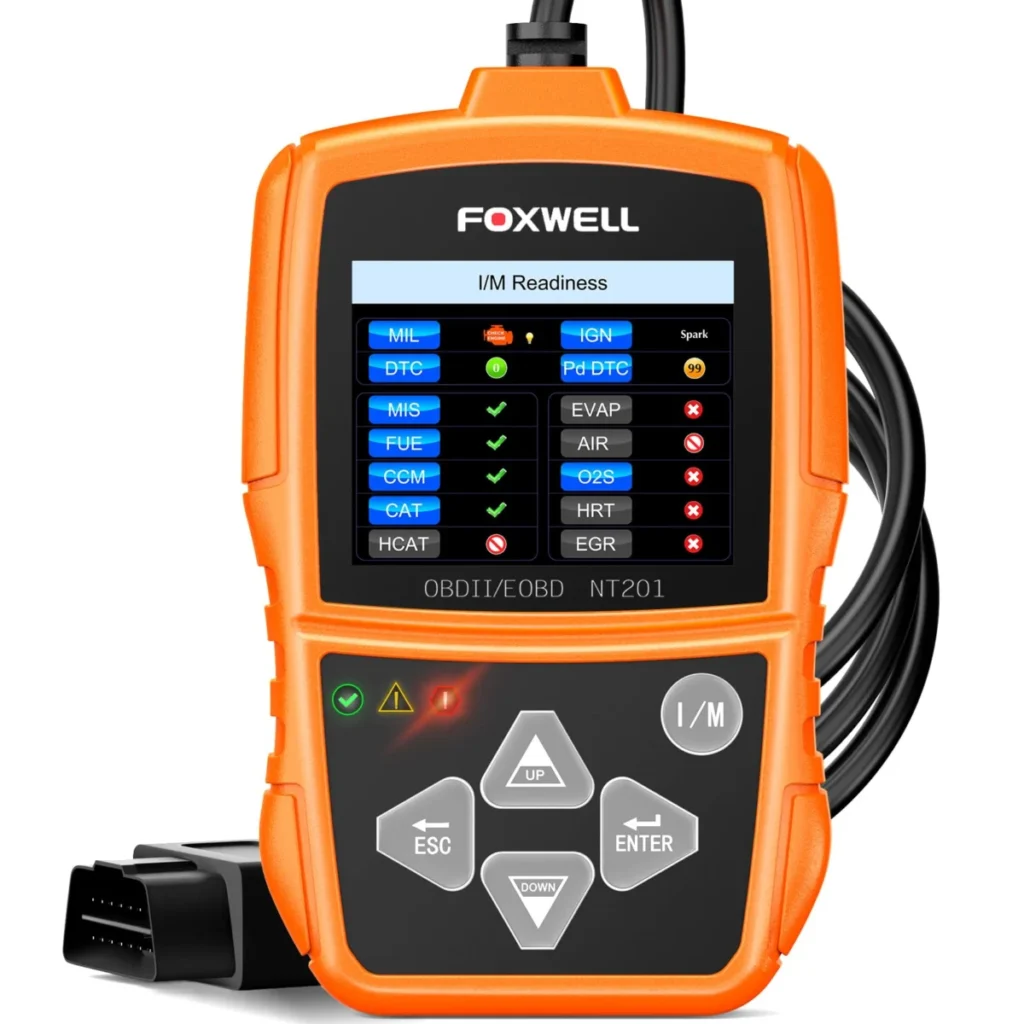
The FOXWELL NT201 is a wired handheld code reader for engine and emissions diagnostics on 1996-and-newer vehicles that use the standard 16-pin OBD-II connector. It reads and clears trouble codes, displays live data on a 2.4-inch color screen, runs an oxygen sensor test and offers a one-key I/M readiness check, and it ships with free lifetime updates and no stated subscription.
This Foxwell NT201 review answers the question buyers actually ask: is it worth it? For a check engine light on a modern gasoline car, yes, because it delivers the codes, the freeze-frame context and the readiness status that most diagnoses start with. It is not worth it if your problem sits in the brakes, airbags or transmission, or if you expect the tool to command components during a repair.
Specifications
Key specifications
| Specification | Detail | Why it matters |
|---|---|---|
| Type | Enhanced scan tool | It is positioned above a bare code reader, so buyers expect more than a fault code number. |
| Bidirectional | No (read-only) | It cannot run active tests, retract an electronic parking brake or bleed ABS, which rules it out for service work. |
| Systems | Engine, ABS, SRS airbag, Transmission | The listed systems suggest broader coverage than the manufacturer's own compatibility statement describes, so confirm coverage for your fault before relying on it. |
| Functions | Read/clear codes, Live data, I/M readiness, O2 sensor test, VIN | These cover the everyday check engine workflow, including reading the vehicle identification number. |
| Updates | Free lifetime updates | There is no renewal cost to budget for as newer models reach the road. |
| Screen | 2.4 in | A small color screen is enough for codes and single-parameter graphs but limits how much live data you can view at once. |
| Vehicle years | 1996 and newer | Pre-1996 cars need an OBD1 adapter and a different tool, so older vehicles are out of scope. |
What the FOXWELL NT201 reads and what it cannot reach
The FOXWELL NT201 reads and clears engine trouble codes, decodes them on screen and stores data for review, record and playback. It also displays vehicle information such as VIN, calibration ID and calibration verification number, which helps confirm you are diagnosing the right vehicle and software version. That is the core of the check engine light workflow: pull the code, read the description, decide on a repair.
The limit matters more than the feature list. The manufacturer states the tool is designed for engine and emissions diagnostics and does not work with non-engine systems such as ABS brakes, airbags or transmission, even though the published specifications name those systems. Treat the NT201 as an engine tool: an ABS or airbag warning light needs a scanner with enhanced module coverage, and a transmission fault needs a tool that reads the TCM.
Live data and the oxygen sensor test in practice
Live data turns the NT201 from a code lookup into a light diagnostic aid. It streams parameters such as RPM, coolant temperature, intake air temperature and oxygen sensor readings, and the graph display and data record function let you watch a value change as the engine idles or the car is driven. For an intermittent misfire or a lean condition, watching oxygen sensor response and coolant temperature together is more informative than the code alone.
The oxygen sensor test is the feature that earns its place for high-mileage cars. A sluggish sensor reports slowly and the engine compensates with extra fuel, so a flat or slow signal is a clue worth acting on. The NT201 shows the sensor data but does not repair anything: a code points to a circuit or a system, and the sensor, its wiring or an intake leak can all produce the same reading.
No bidirectional control and no service resets
The NT201 is read-only, so it cannot send commands to the car. There are no active tests, no actuator tests, no ABS bleed, no electronic parking brake retraction and no service resets such as oil life, battery registration, steering angle or throttle relearn. If your plan involves a brake job on a car with an electric parking brake, or you want to cycle an EVAP purge valve to confirm a fix, this tool stops at reading.
That is not a flaw for the buyer it targets, because most check engine light diagnoses begin with codes and live data. It does mean the NT201 is a first step, not a workshop instrument. Buyers who already know they need bidirectional control should budget for a bidirectional scan tool rather than buy the NT201 and discover the gap mid-repair.
Vehicle coverage, connection and update terms
Coverage starts at model year 1996 for US-market vehicles with the 16-pin connector, and the manufacturer lists gasoline cars, SUVs, light trucks, minivans and hybrids. It explicitly excludes electric vehicles, 24V heavy-duty trucks and non-engine modules. The tool communicates over CAN, which is the mandatory protocol on US cars from 2008, so very early OBD-II cars using older protocols are the coverage question to check before buying.
The connection is a cable to the diagnostic link connector, with no battery and no external power required, and the package includes the reader, a user guide and a USB cable for updates. Updates are free for life with no stated subscription, which separates the NT201 from tools that charge after a trial period. The tradeoff is a small 2.4-inch screen and a tethered setup, so you read data at the car rather than from a phone across the garage.
How the FOXWELL NT201 compares with two alternatives
The Autel AL319 is a code reader rather than an enhanced scan tool, and its published specifications list engine as its only system. It adds seven languages and freeze frame, which helps if you share the tool across drivers or want the exact conditions recorded when the fault set. Choose the Autel AL319 if language options and a simpler code reader role matter more than the NT201's oxygen sensor test and vehicle information display.
The FOXWELL NT301 sits above the NT201 in the same family, with a 2.8-inch screen, body system coverage, an EVAP test, a battery test and support for CAN, J1850, ISO 9141 and KWP2000. It is still read-only, so it does not solve a bidirectional need. Pick the NT301 if you want wider protocol coverage and body-system access, and stay with the NT201 if engine and emissions work is all you need.
Is the FOXWELL NT201 worth it for a DIY owner?
The NT201 is worth it when the job is a check engine light, an emissions readiness check or a used-car inspection of engine data. It answers the first question a shop asks, gives you the code definition and readiness status, and lets you clear the code after a repair and see whether it returns. No subscription and free lifetime updates keep the cost of ownership flat.
It is not worth it if you already know the fault sits outside the engine, or if you want one tool that grows with your repairs. A scanner reads data; it does not fix the fault, and clearing a code resets readiness monitors, so the NT201 will not make a car pass an emissions test on its own.
Strengths and weaknesses
Pros and cons
Pros
- Reads and clears engine codes with on-screen definitions, so you know what triggered the check engine light before visiting a shop
- One-key I/M readiness check with red, yellow and green status helps you avoid a wasted trip to the testing station
- Live data and an oxygen sensor test support real diagnosis of fuel and sensor problems, not just code lookup
- Plug-and-play wired design needs no phone, app or battery
Cons
- Read-only: no bidirectional tests, actuator tests or service resets
- The manufacturer states it does not cover ABS, airbag or transmission faults, despite the broader system list in the published specifications
- Excludes electric vehicles and 24V heavy-duty trucks
- Small 2.4-inch screen limits how much live data you can compare at once
Other options
Alternatives to consider
Autel AL319
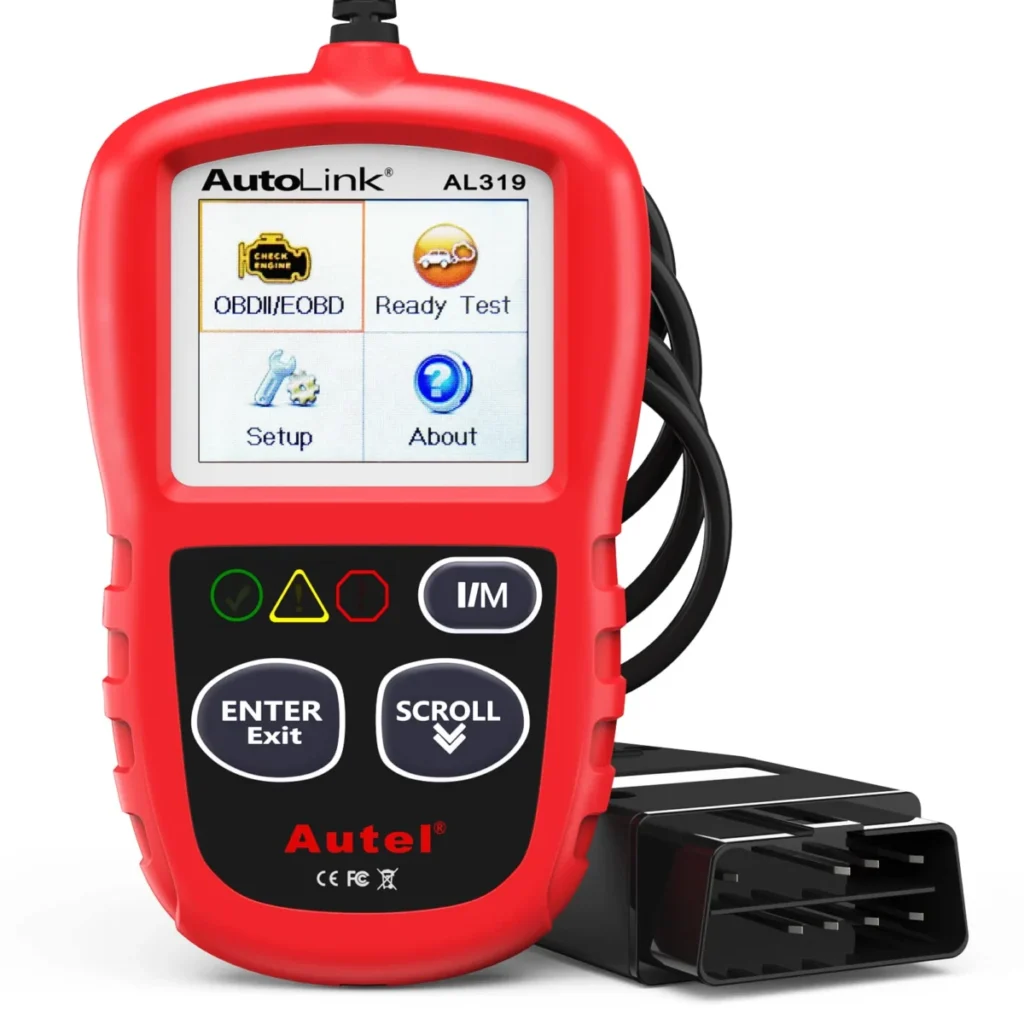
Choose the Autel AL319 if you want a straightforward engine code reader with freeze frame and seven languages rather than the NT201's oxygen sensor test and vehicle information display.
FOXWELL NT301

Choose the FOXWELL NT301 if you want a larger 2.8-inch screen, body system coverage, an EVAP test and wider protocol support, while accepting that it is still read-only.
The FOXWELL NT201 also appears in
Common questions
Frequently asked questions
How do I use the FOXWELL NT201?
Locate the 16-pin OBD-II port under the dashboard, plug the NT201 in, and turn the ignition on without starting the engine. The tool powers from the port, so you then follow the menu to read codes, view live data or press the readiness hotkey for an I/M status check.
Is FOXWELL a good brand for OBD2 scanners?
FOXWELL is an established name in code readers and scan tools, and the NT201 carries a 12-month warranty and free lifetime updates. Brand reputation is less useful than matching the device class to your fault, so check that the model covers the systems you need before buying.
Can the FOXWELL NT201 read ABS or airbag codes?
The manufacturer states the NT201 is built for engine and emissions diagnostics and does not work with non-engine systems such as ABS brakes or airbags. For a chassis or airbag warning light, use a scan tool with enhanced module coverage instead.
Does the FOXWELL NT201 need a subscription?
No subscription is stated, and updates are free for life. You buy the reader once and can update it through the included USB cable as newer models arrive, without a renewal fee.
Will the FOXWELL NT201 work on my car?
It works on 1996-and-newer vehicles with the standard 16-pin connector, including gasoline cars, SUVs, light trucks, minivans and hybrids. It does not support electric vehicles, 24V heavy-duty trucks or pre-1996 cars, which need an OBD1 adapter and a different tool.
Can the FOXWELL NT201 turn off the check engine light for good?
The NT201 clears the code and turns the light off, but the light returns if the underlying fault is not repaired. Clearing codes also resets readiness monitors, so use the tool to verify a repair rather than to mask a problem before an emissions test.
Bottom line
Should you buy the FOXWELL NT201?
Buy the FOXWELL NT201 if your car is a 1996-or-newer gasoline model with a check engine light, an emissions readiness question or a need to watch live engine data, and you want a wired reader with no subscription. It is a sensible first diagnostic tool for that job and pairs well with the included user guide and free lifetime updates.
Skip it if the warning light is for ABS, airbags or transmission, or if you need active tests and service resets, because the NT201 is read-only and the manufacturer limits it to engine and emissions work. In that case the FOXWELL NT301 adds body coverage and wider protocols, but it is also read-only, so service functions require a bidirectional scan tool, a different device class.
For brake, airbag or steering warnings, have the car checked by a qualified mechanic rather than relying on a code reader.
Keep reading

KONNWEI KW850 Review: A Standalone Code Reader for Engine Faults
A KONNWEI KW850 review for 1996-and-newer OBD-II owners: it reads and clears engine codes, shows live data and readiness, but no ABS,…
FORScan ELM327 Review: What the OHP Adapter Can and Cannot Read
The OHP FORScan ELM327 gives Ford owners a stable wired USB link to FORScan for engine, ABS and transmission codes. No bidirectional…
ANCEL VD500 Review: A VW and Audi Code Reader With a Battery Test
Buy the ANCEL VD500 for VW, Audi, Skoda or SEAT engine diagnostics and a battery check. Skip it if you need ABS,…